iOS App Screenshot Generator Guide
Learn how an iOS app screenshot generator can help you prepare a reviewable App Store asset direction and check platform details.
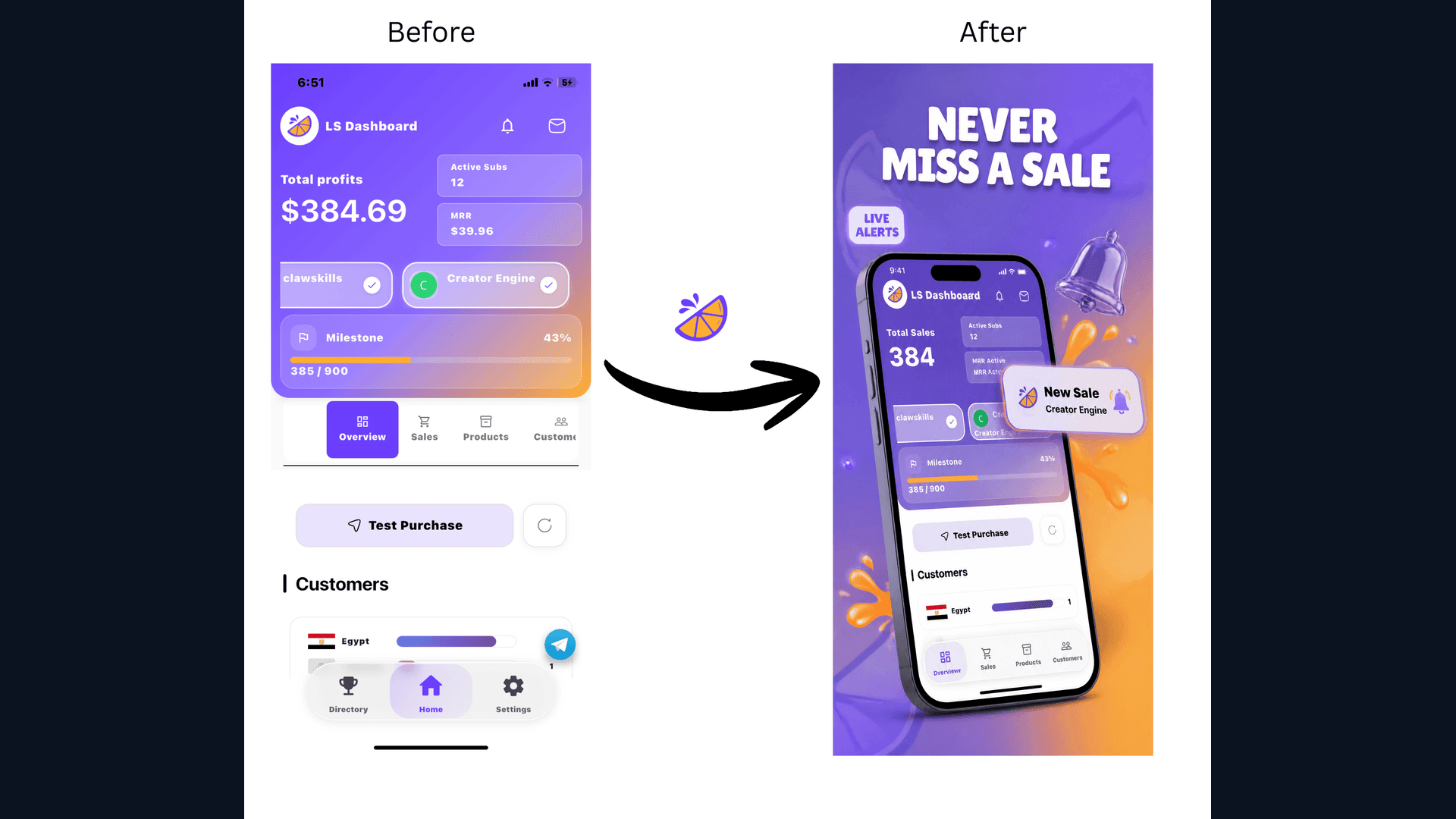
As an iOS developer, you may want a repeatable way to prepare device frames, captions, and aspect-ratio variants without losing time to repetitive setup. An iOS app screenshot generator can provide a starting direction, but the final assets still need human review.
The Pain of Manual Screenshot Creation
If you've ever had to manually create screenshots for the iPhone 16 Pro Max, iPhone 15, and legacy 5.5" devices, you know the struggle:
- Resizing UI for every resolution.
- Cleaning up the status bar (removing the battery percentage and carrier).
- Adding device frames that look modern and sleek.
- Translating captions for localized stores.
Why Use an iOS-Specific Generator?
An iOS app screenshot generator like WowShots (or Wow Shots) is built specifically for the Apple ecosystem. It understands:
- The Dynamic Island: Ensuring your frames correctly represent the latest hardware.
- Display P3 Color: Maintaining the vibrancy of your app's UI.
- Safe Areas: Keeping your text overlays away from the notch and home indicator.
Key Features to Look For
When choosing a generator, prioritize these features:
- Automatic Framing: Just upload your raw image; the tool does the rest.
- Headline AI: If you're a dev who struggles with marketing, let AI write your benefit-driven captions.
- Bulk Exporting: Download a ZIP file with every size Apple requires.
- Dynamic Backgrounds: Gradients and patterns that match your app's branding.
Step-by-Step: From Raw Image to App Store Ready
- Capture: Take raw screenshots from your simulator or physical device.
- Upload: Drag them into the iOS app screenshot generator.
- Customize: Choose your device frame color (Titanium, Silver, etc.) and add a snappy headline.
- Generate: Let the AI prepare a layout direction for review.
- Download: Get your ready-to-upload assets instantly.
Conclusion
Use an iOS app screenshot generator to prepare polished, reviewable assets for an App Store launch while keeping control of the final copy and export.
[Try WowShots for iOS Developers →](/)
Useful WowShots tools
Move from research to production with the tool that matches your next step.